

Where is your crypto?
Bitcoin, Ethereum and other networks record transactions on their blockchains. Your wallet uses these records to show what you can spend. Turning off a hardware wallet does not erase the records or stop a payment from reaching your address.
- The network
- Keeps the transaction records from which your balance is calculated. The coins do not travel into your device.
- Your wallet app
- Shows your balance and lets you prepare a payment. It is a way to use an account, not the place where the coins are kept.
- The private key
- Secret data the wallet uses to authorize spending. Anyone who gets the necessary keys can use the funds they control.
Where does a wallet keep its private keys?
If a wallet app keeps the private keys on your phone or computer, that device also signs transactions. Keys can instead be generated and kept offline, separate from the internet-connected device. A hardware wallet keeps the keys and signs inside its own device. The phone or computer app can prepare and send the transaction without receiving those keys.
Prepare the transfer in the app
Enter the recipient and amount. The app sends the proposed transaction to the hardware wallet for approval.

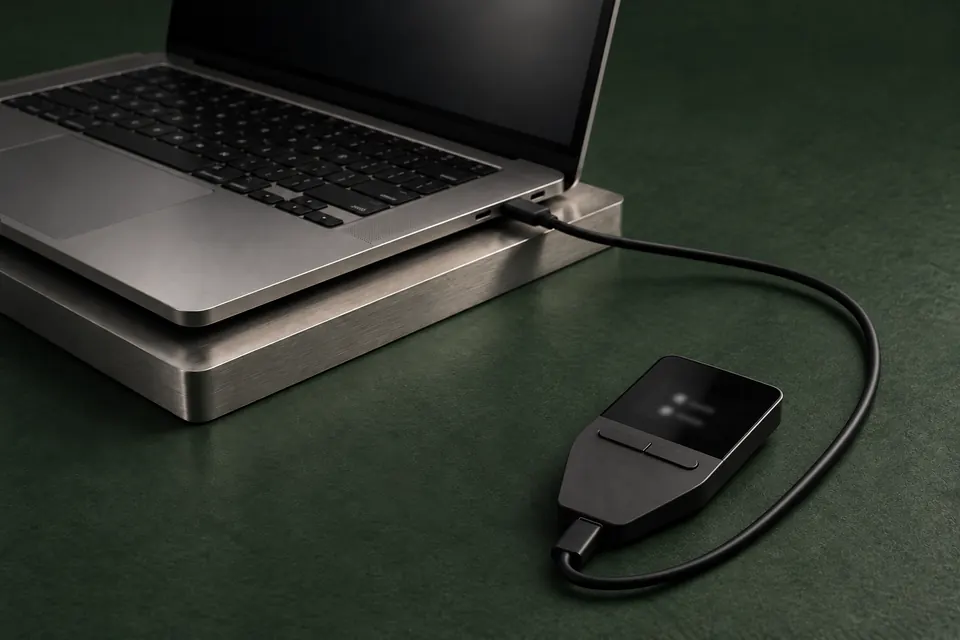
Example: preparing a payment on a computer with a Trezor Safe 3 connected.
Check and approve on the device
On a model with a screen, read the recipient and amount there. If you approve, the device signs the transaction: it creates proof of authorization while keeping the private key inside.
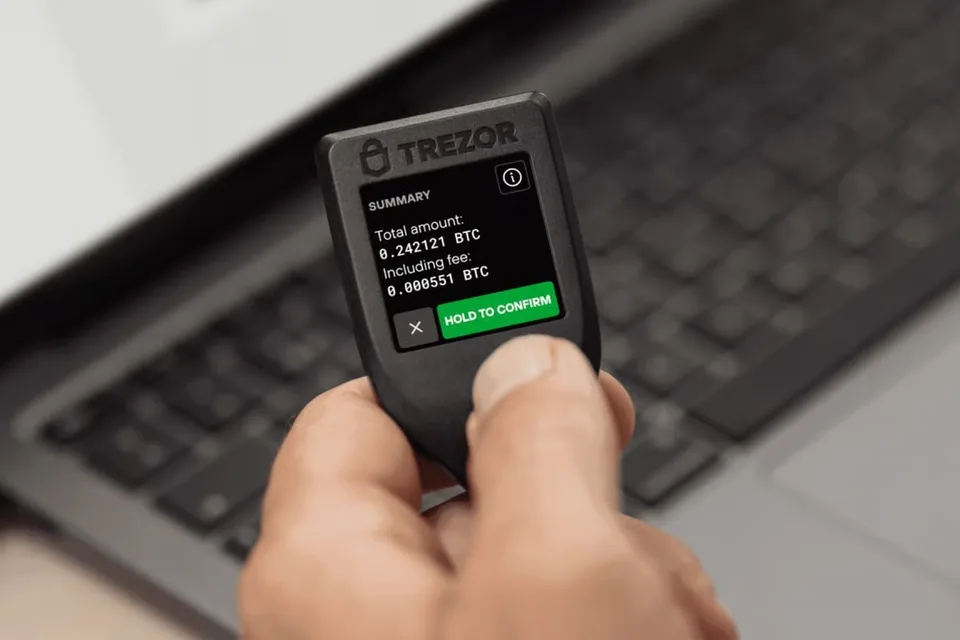
Manufacturer example: reviewing the transaction summary on Trezor Model T before confirmation.
The app sends it to the network
The signed transaction returns to the app, which submits it to the network. The network then checks and processes it. Approving on the device is not the same as a confirmed payment.
Another approach is a computer dedicated to offline signing. You transfer transaction data between it and an online device yourself. That takes more setup and more steps whenever you want to send a payment.
Turning off an online wallet does not undo earlier exposure of its keys. If someone has already copied them, disconnecting your device does not remove their copy.
A hardware wallet cannot tell whether you meant to pay that person. It can sign a fraudulent transfer you approve, so keeping the keys inside the device does not replace checking the request. Screenless models use different verification arrangements.
What to check before approving a transfer
Choose a hardware wallet for your phone, computer and crypto
An exchange account or a wallet you control?
The important difference is who can authorize a withdrawal. A login password gives you access to an exchange service; it is not the private key used to move crypto on the network.
An exchange holds the keys
- Who approves withdrawals?
- The exchange processes your withdrawal request under its rules.
- How do you access it?
- Sign in to the service with your account credentials.
- If you lose access
- The service may offer password or account recovery. You still depend on it being available and allowing withdrawals.
You hold the keys
- Who approves withdrawals?
- You authorize transfers with your own wallet. There is no exchange approving each withdrawal.
- How do you access it?
- Your wallet uses the keys you control. A hardware device may have a PIN to unlock it.
- If you lose access
- You need the recovery information your wallet uses. The manufacturer cannot simply reset your account password to recreate lost keys.
Installing a wallet app or buying a hardware wallet does not move funds out of an exchange. You need to request a withdrawal to an address you control, using a network supported at both ends.
Your PIN and recovery phrase do different jobs
Many wallets give you an ordered list of words when you set them up. This is a recovery phrase, also called a seed phrase. It can recreate the keys on a compatible wallet if the original device is gone. Some wallets use a card or another recovery method instead.
- The PIN unlocks the device you have. Entering that PIN on a replacement device will not restore your wallet.
- Keep the recovery phrase private. Someone with everything needed for recovery may be able to access the funds without your device or its PIN.
- Some wallets also offer an optional additional password, called a passphrase. If you use one, you must keep it too. For example, Trezor combines it with the recovery phrase to open a separate wallet; a different passphrase opens a different wallet.
What happens if you lose the device?
Losing a device does not erase the network’s records. With the required recovery information and a compatible wallet, you can regain access. That is why protecting the recovery phrase matters as much as protecting the device.
Recovery restores access; it does not reverse a payment you already sent. A restored wallet can also show the wrong account or network, so an empty balance alone is not proof that the crypto has disappeared.
If you need to recover a wallet, use the instructions for that model and recovery method. Do not send your recovery words to a support agent or enter them on a website that asks for them.