


Cold and hot depend on where the keys are kept
A hot wallet holds its signing keys in software on an internet-connected phone or computer. A cold arrangement keeps signing separate. Compare these three examples by where the keys are held, which part goes online, and which part signs:
- Wallet app with its own keys: the phone or computer holds the keys, connects to the network and signs. This is a hot wallet even if you rarely open the app.
- Hardware wallet with a companion app: the device holds the keys and signs; the online app prepares transactions and broadcasts the signed result. The app’s internet connection alone does not make those hardware-held keys hot.
- Dedicated offline computer: that computer holds the keys and signs. A separate online wallet without those keys can watch the account and prepare transactions. You move transaction data between the two; Electrum documents this arrangement for Bitcoin.
Why a cold wallet can still use an online app
You can receive a payment at an address you have already checked while the signing device is disconnected. The network records the payment. To see an up-to-date balance, your app needs current network information; it does not need your private keys just to display that information.
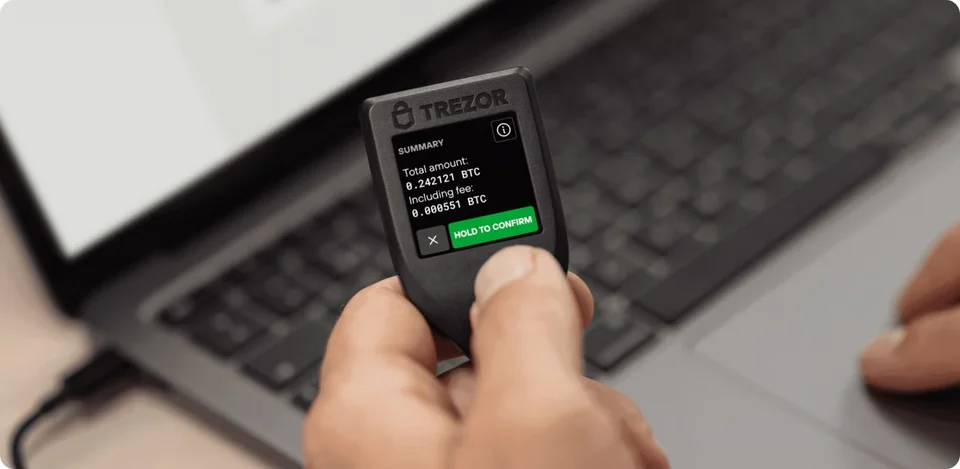
Manufacturer example: transaction details on a Trezor Model T beside a laptop. The app and the signing device have separate roles.
Sending is different: the transaction needs the appropriate signature before it can be broadcast. With a hardware wallet, transaction data can pass over a supported USB, Bluetooth or other connection while signing stays inside the device. A cable does not by itself make the wallet hot, and the absence of a cable does not prove cold storage.
Offline keys do not make every action safe
Key isolation reduces exposure to the online device. It does not decide whether a payment or permission matches your intentions. For example, an Ethereum token spending approval can let a contract move tokens without giving it your private key. Connecting to an app and approving its requests are different actions.
The backup matters too. If you copy the recovery phrase into an online wallet, the same keys are no longer confined to the offline signer. Moving previously exposed keys onto a hardware device cannot remove a copy someone already has. For many wallets, the recovery phrase and any optional passphrase can restore access without the original device.
Choose a setup you can keep using
If you want to keep signing keys off your everyday phone or computer, a hardware wallet is a practical starting point. Choose one that works with your actual device, app, asset and network, and whose controls you can comfortably use to check requests.
A dedicated offline computer is another option, but it requires separate software setup and manual transaction transfers. Keep that extra work in mind if you expect to send regularly. Whichever approach you choose, plan how to recover access before relying on it.