
Choose BitBox02 Nova
Consider Nova if you want a compact wallet with microSD backup. When using it with an iPhone, you need to connect it to the phone or another suitable power source.
Price at BitBox
Details Choose this edition at the store.


Nova offers a compact device with touch sensors and microSD backup. Flex has a larger touchscreen and a battery for Bluetooth use. On iPhone, Nova still needs a physical power connection.
Consider Nova if you want a compact wallet with microSD backup. When using it with an iPhone, you need to connect it to the phone or another suitable power source.
Choose this edition at the store.

Consider Flex if you want more screen space for checking transactions and a rechargeable battery for Bluetooth use with Ledger Wallet.
Nova communicates with BitBoxApp on iPhone over Bluetooth while drawing power from the phone or another suitable source. Flex uses Ledger Wallet over Bluetooth and runs on its rechargeable battery. With Flex charged, the approval routine needs no power cable.
On a computer, both use USB. On Android, Nova uses USB with USB OTG support; Flex can use USB or Bluetooth. Choose by the actual phone and app, not the Bluetooth label alone.
Flex has a 2.84-inch E Ink touchscreen: you tap the displayed controls. Nova has a smaller OLED display and touch-sensitive edges, not a touchscreen. You use those edges to navigate and confirm what appears on the display.
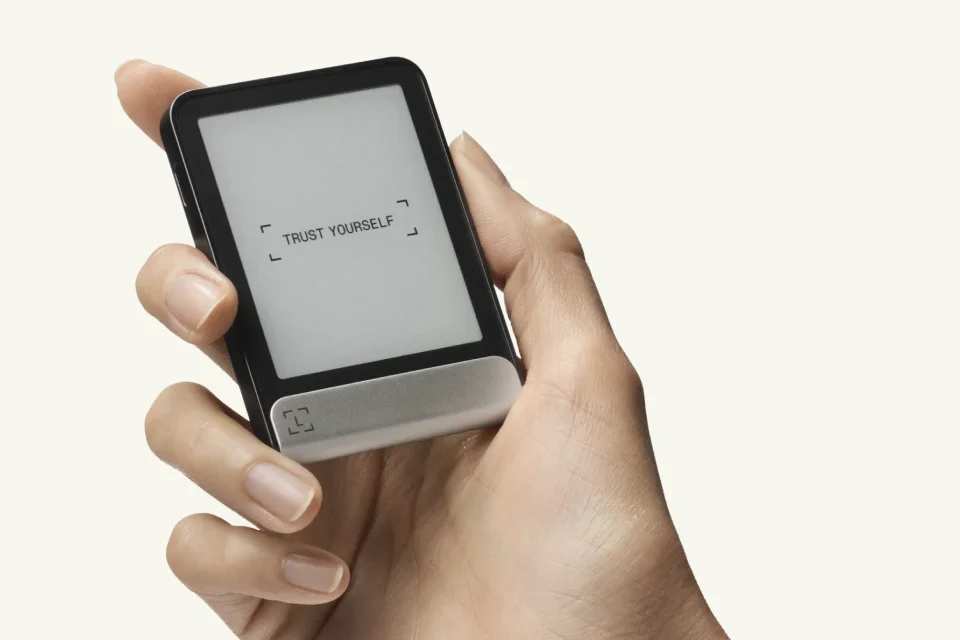
Manufacturer photograph of Ledger Flex in one hand, showing the screen and the size of the device.
Flex offers more reading space; Nova keeps the device compact. In either case, read the complete destination and amount rather than recognising only the first few address characters. The controls should be comfortable enough that you will do that check each time.
This comparison uses Nova Multi and the standard multi-asset Flex. Nova also has a separate Bitcoin-only edition whose firmware cannot be changed to Multi. Choose the edition for your assets and verify each network in the app you intend to use.
Nova’s standard setup creates a microSD backup; you can also preserve recovery words. Keep the card secure and separate from the device. A new Ledger wallet creates a 24-word BIP39 phrase; optional recovery tools are separate choices. To restore an existing wallet on another device, check the actual format, accounts and exact optional passphrase first.
Which editions let you change the firmware?
Documentation checked October 5, 2026. This page is based on manufacturer documentation.
How we compareAt a glance
Keep comparing
Weighing up another pair?Compare any two or three wallets


