Choose a wallet · Bitcoin-only

Bitcoin-only hardware wallets

A Bitcoin-only wallet deliberately limits the supported assets to Bitcoin. You can also use a multi-asset wallet just for Bitcoin; choose this category when you want that restriction, then compare the exact edition and daily workflow.

Our picks: 3 · Matching wallets: 12

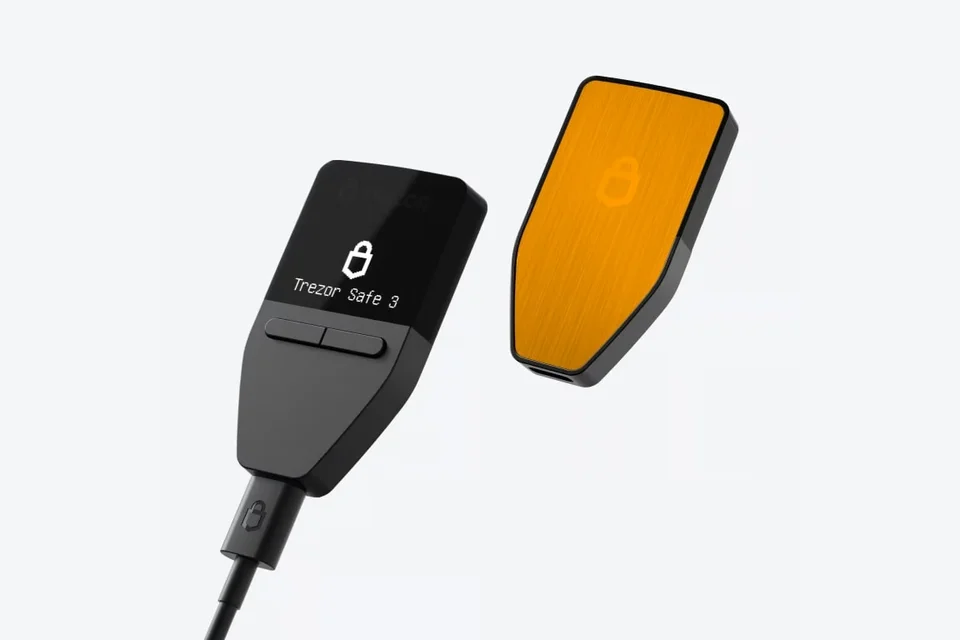
Front and orange back of a Trezor Safe 3 Bitcoin-only, with a USB cable connected.

Other Bitcoin-only wallets

Beyond our picks above, the catalog includes 9 other wallets that match this category.

Before you choose

What matters for a Bitcoin-only wallet.

Choose the exact edition

Choose Trezor Safe 5 Universal if you want the option to manage other supported assets later. Trezor Suite lets you switch that edition between Universal and Bitcoin-only firmware.

The dedicated Trezor Safe 5 Bitcoin-only edition has no ordinary switch back to Universal. Trezor documents an advanced manual installation of official Universal firmware, but advises it only if you have a strong reason and know what you are doing. You need your wallet backup ready: installation can erase the device’s memory and may leave it unusable.

BitBox02 Nova has fixed editions: Bitcoin-only cannot become Multi, and Multi cannot become Bitcoin-only. Choose the edition for the assets you want to manage.

The restriction does not establish an overall safety ranking. Choose it because you want Bitcoin-only operation, while still checking the controls, app and recovery arrangement.

Your phone, controls and recovery still matter

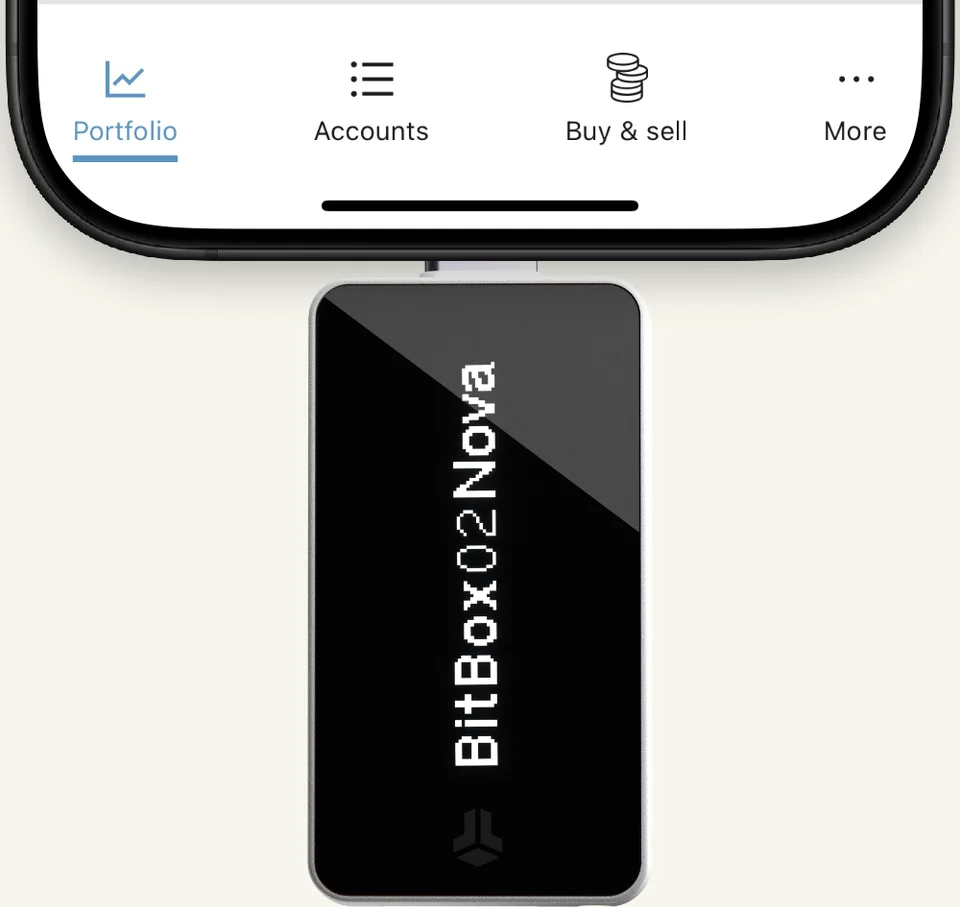
Trezor Safe 3 Bitcoin-only connects by USB to Trezor Suite on a computer or compatible Android phone. You read its screen and use two buttons. BitBox02 Nova Bitcoin-only works with BitBoxApp on iPhone over Bluetooth, but it must remain plugged into a power source. Bluetooth does not mean a battery-powered device.

BitBox02 Nova plugged into the bottom of an iPhone, with part of BitBoxApp visible.

Manufacturer example: Nova takes power from the iPhone here. BitBoxApp exchanges data with the device over Bluetooth.

Recovery also differs within this category. Nova can use its microSD backup or recovery words. Bitkey instead has an app-and-device recovery arrangement with cloud backup and other conditions depending on what you lose. Read the exact model’s recovery requirements before choosing.

If you later need another cryptocurrency

You can keep your Bitcoin wallet and use another compatible wallet for the new asset. Your Bitcoin does not have to move just because your needs expand. If you prefer one device, check whether your actual edition can change before buying a replacement.

Restoring the same wallet on another device requires compatible recovery support. Creating a new wallet means sending funds to its new addresses. Those are different routes; do not reset a working device before you have chosen and prepared yours.

Weighing up another pair?Compare any two or three wallets