

Start with the model that fits your routine
You do not need the largest device in either range. Start with the connection and controls you want to use.
The Trezor models here have Universal and dedicated Bitcoin-only editions. Choose Universal if you need other supported assets. Ledger colour options and bundles do not turn the devices into Bitcoin-only editions.
- Computer or Android, buttons and USB: compare Trezor Safe 3 with Ledger Nano S Plus. Neither needs charging. Let the app and support for your crypto decide between them.
- USB and a colour touchscreen: start with Trezor Safe 5. Choose Safe 3 instead if you prefer buttons. Safe 7's wireless features add a charging routine you may not need.
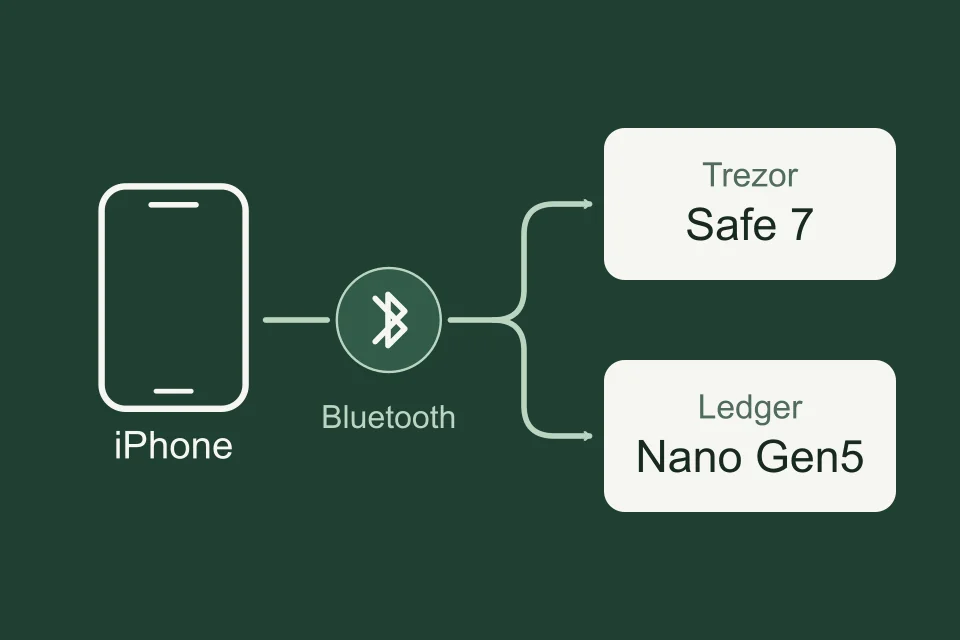
- iPhone and a touchscreen: compare Trezor Safe 7 with Ledger Nano Gen5. Safe 7 has a colour display and Trezor Suite; Gen5 has a monochrome E Ink display and Ledger Wallet. Consider Ledger Flex instead if you want its higher-resolution grayscale display.
- Bluetooth with physical buttons: consider Ledger Nano X. Ledger Stax is the alternative if you specifically want a larger curved E Ink touchscreen and wireless charging.
Compare Safe 5 and Safe 7's wired and wireless routines
Compare ordinary firmware switching, advanced installation and fixed editions
Can you approve transactions from your phone?
A phone app that displays a balance is not enough: it must connect to the hardware and let you approve the transaction there. Safe 7 is the current Trezor choice for iPhone signing. Safe 3 and Safe 5 offer view-only accounts on iPhone, but cannot sign with it.
| Model | iPhone signing | Android signing | Computer signing |
|---|---|---|---|
| Trezor Safe 3 / Safe 5 | No | USB | USB |
| Trezor Safe 7 | Bluetooth | USB or Bluetooth | USB or Bluetooth |
| Ledger Nano S Plus | No | USB | USB |
| Ledger Nano X | Bluetooth | USB or Bluetooth | USB |
| Ledger Nano Gen5 | Bluetooth | USB or Bluetooth | USB |

Trezor’s photograph shows Safe 7 and a phone held separately. In the documented phone workflow, Bluetooth carries data between them.
Flex and Stax also support Bluetooth signing with iPhone and Android, and USB with a computer. Bluetooth does not charge the device. Safe 3, Safe 5 and Nano S Plus draw power through USB; charge the battery before relying on a wireless model away from a cable.
Setup, firmware updates and recovery are separate tasks. Trezor documents mobile setup for Safe 7, including iPhone; Ledger documents mobile setup for Nano Gen5 in Ledger Wallet. Nano X needs Ledger OS 2.4.1 or later for Bluetooth OS updates; an older version needs a wired update on a computer or Android first. If your iPhone is your only device, also check the exact model's setup and update procedure; a signing connection alone does not establish that you can complete every task on that phone.
Choose controls you will use to check requests
Safe 3, Nano S Plus and Nano X use physical buttons. Safe 5 and Safe 7 have colour touchscreens; Nano Gen5, Flex and Stax use E Ink touchscreens. This changes how you scroll through requests, enter information and confirm an action.
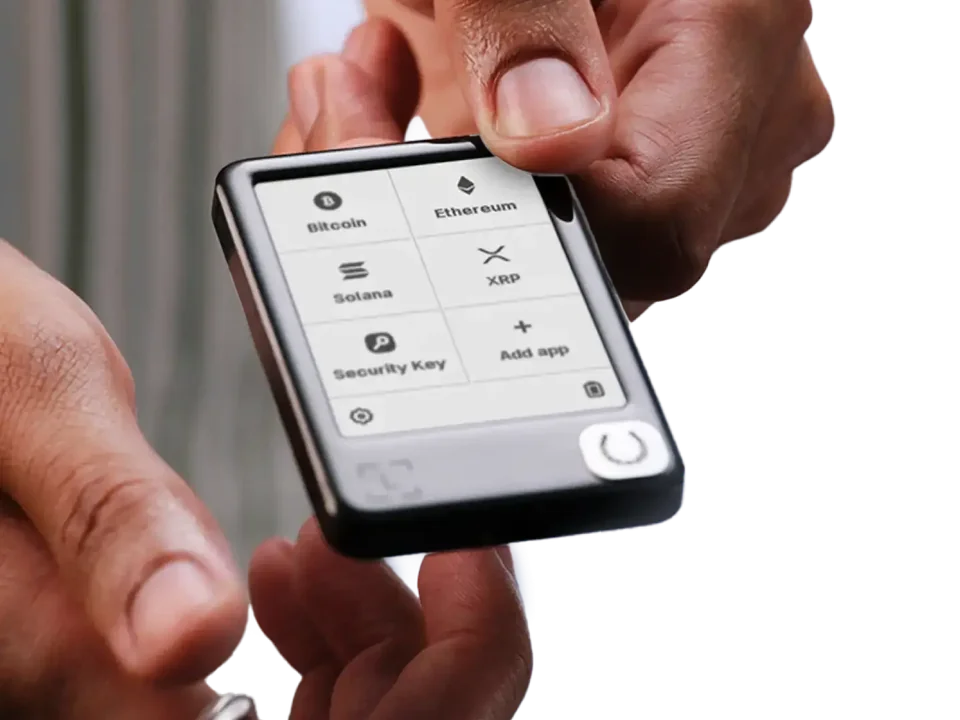
Ledger’s photograph shows the app menu on Nano Gen5’s monochrome E Ink touchscreen.
Before approving a payment, read its recipient, amount and fee on the wallet. For an app permission, understand what access you are granting. A larger display gives details more space, but neither brand can turn an unfamiliar permission into something you should approve.
Check your crypto by network and app
Choose Ledger when an essential asset and app workflow is supported there and unavailable on Trezor. Choose Trezor when its supported workflow fits you and you prefer Suite or its backup options. A total coin count cannot decide this: it may include tokens, networks and integrations you will never use.
Monero shows why this matters: Trezor Suite does not manage it. Trezor documents Cake Wallet for Safe 7 on iPhone and Android; Safe 3 and Safe 5 can use Cake on Android or Monero GUI on a computer. Monero GUI does not support Safe 7. The same brand and coin still lead to different model and app choices.
Ledger Wallet was formerly called Ledger Live. A guide using the older name may still describe the same app, but its model and platform requirements need checking.
- List your coins or tokens and the network where you hold each one.
- Check the exact model and edition on the manufacturer's asset page.
- Check whether the task uses Ledger Wallet or Trezor Suite, or needs a named third-party app.
- Confirm that app supports the hardware connection on your phone or computer.
Get the official app for your hardware wallet
Manufacturer support
What would you need after losing the device?
Start with a backup plan you can maintain and retrieve after losing the device. Both brands let you keep recovery words yourself. Current Safe 3, Safe 5 and Safe 7 setup defaults to a single-share, 20-word SLIP39 backup: one share contains the complete backup. Trezor also offers optional multi-share backups, with separate word lists called shares. You choose the minimum number needed for recovery, called the threshold. Trezor also offers 12- or 24-word BIP39 during creation; new Ledger wallets create a 24-word BIP39 phrase. BIP39 and SLIP39 are different backup formats, not interchangeable word lists. An optional passphrase is an extra secret used with the backup, not the device PIN.
| Method | What recovery requires | Main limit |
|---|---|---|
| Written BIP39 phrase | The recorded phrase and any exact optional passphrase. | The replacement must accept the format and support your accounts. |
| Trezor SLIP39 backup | The single share, or enough shares to meet your chosen threshold; any exact optional passphrase. | The replacement must support SLIP39. Ordinary BIP39 support is insufficient. |
| Ledger Recovery Key | A physical card configured for a 24-word phrase, the card’s PIN and a compatible Ledger touchscreen device. | It does not back up an additional passphrase. Keep the written phrase as a fallback. |
| Ledger Recover | Prior enrolment in the optional subscription service, its identity-check recovery process and a compatible Ledger replacement device. | It relies on service providers and eligibility requirements; it is separate from the Recovery Key card. |
Check the exact device and Ledger OS support before using Recovery Key with a shorter imported phrase. Ledger's FAQ and Flex release notes differ on phrase-length support.
Choose multi-share if you can keep enough shares accessible across their separate storage locations. For example, a 3-of-5 backup needs any three of the five shares from that backup. Choose a single complete backup if that is the plan you can maintain. SLIP39 creates these shares as part of its backup format; dividing a BIP39 phrase into pieces does not create the same arrangement.
Recovery Key and Recover are optional. Neither is required to use a Ledger with a written phrase. Recover, provided by Coincover, divides encrypted recovery material between three providers after your consent; two fragments allow restoration. It adds reliance on those providers and identity verification. Installing an update does not automatically enrol you or send a backup.
When switching brands, check the backup you already have. A Trezor 20-word SLIP39 backup cannot be entered into Ledger's BIP39 restoration process. With BIP39, account support and any passphrase still matter. Alternatively, create a new wallet with its own backup and transfer your crypto to its verified addresses. Keep the old setup usable until access and transfers are checked. Follow the exact model's recovery procedure; never enter backup words into a website or send them to support.
Is Ledger or Trezor safer?
The documented properties do not establish an overall safety winner. They help you compare what code can be inspected, where sensitive operations happen and who recovery depends on.
Trezor publishes its device firmware as open source. Ledger's device firmware includes closed components; its software development kit (SDK) and device apps have open-source code. Ledger runs its device OS and apps inside a Secure Element, a chip designed to protect sensitive operations. Current Trezor Safe models also use Secure Elements: Safe 7 adds the auditable TROPIC01 chip alongside its other security hardware. The shorthand 'Ledger has a Secure Element; Trezor does not' misses these models.
Open code makes inspection possible; it does not prove every component is free of flaws. A chip's certification is a property of that chip, not an overall wallet score. If firmware transparency is a deciding criterion, Trezor is the clearer fit. If an essential Ledger integration decides your choice, understand its firmware and recovery arrangements too. With either brand, protect your backup and approve only requests you understand.
Choose the exact model, then check its official offer
For wired use, start with Safe 5 for a colour touchscreen, or compare Safe 3 with Nano S Plus for buttons without charging. For iPhone touchscreen use, compare Safe 7 with Nano Gen5. Choose Flex or Stax instead for the particular display or charging features you want.
Confirm your essential crypto workflow, edition and recovery plan before ordering. The product pages below retain the exact model and its official offer, where you can check the current price and package contents.


