

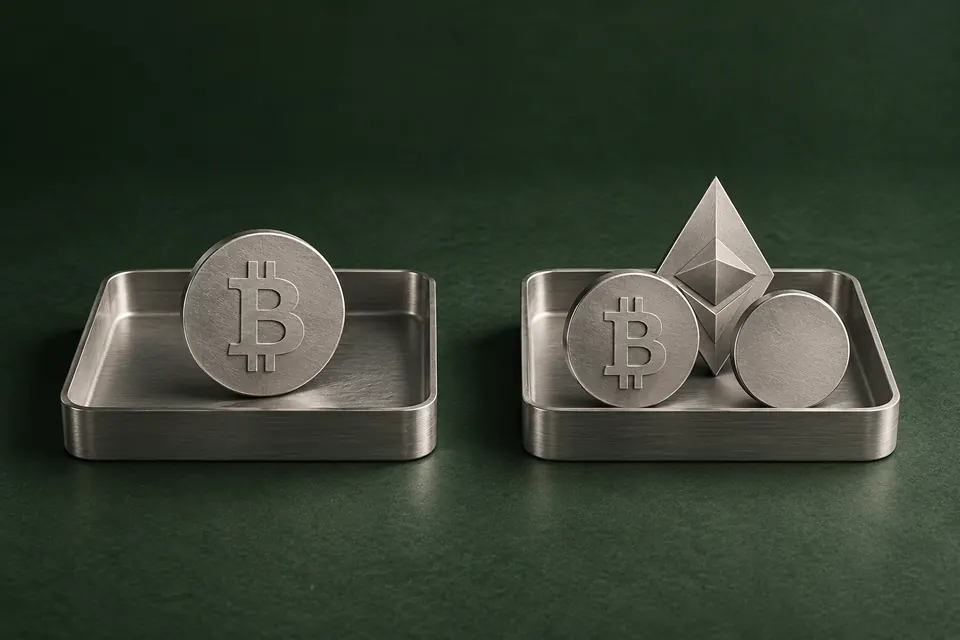
When a Bitcoin-only wallet fits
Bitcoin-only makes sense if you want a device dedicated to Bitcoin and have no use for its other cryptocurrency functions. The device’s software is called firmware. In a Bitcoin-only edition, it does not support other cryptocurrencies.
That narrower scope is the point of the choice, not proof that every Bitcoin-only wallet is safer than every multi-asset model. Your phone compatibility, controls and recovery needs still matter.
When you need support for other assets
If you want to manage ETH as well as Bitcoin, a Bitcoin-only edition will not do that. Look for a multi-asset model that supports the actual assets, networks and apps you use. The category does not mean every cryptocurrency is included.
You do not have to use all the supported assets. You can use a multi-asset wallet to manage only Bitcoin while leaving other supported options available.
Can you change the edition later?
Some devices let you switch firmware in the companion app. Others require an advanced installation or cannot change editions. The exact model and edition on the offer matter, even when the devices look alike. These examples show the difference.
Trezor Safe 5 · Universal
Firmware type can be changed. On the Universal edition, Trezor Suite lets you install Bitcoin-only firmware and later return to Universal. You can choose the restricted firmware without buying the dedicated Bitcoin-only edition.
Trezor Safe 5 · Bitcoin-only
Universal through advanced installation. The dedicated Bitcoin-only Safe 5 has no ordinary Switch to Universal button in Trezor Suite. Trezor documents a separate procedure to install an official Universal firmware file manually. You need your wallet backup ready: the procedure can erase the device’s memory and may leave it unusable. If you want the option to use other supported assets later, choose Universal when buying rather than relying on this advanced route.

Cannot switch editions. The edition is fixed in both directions: Multi cannot become Bitcoin-only, and Bitcoin-only cannot become Multi. Resetting the device does not change this. To use a different edition, you need a device of that edition.
On the Universal Safe 5, installing Bitcoin-only firmware hides the other cryptocurrency accounts in Trezor Suite without deleting those assets. To manage them with that device again, use the documented Suite switch back to Universal firmware.
What if your needs change?
If your edition cannot support a newly needed asset, you may already have another compatible wallet you can use. Otherwise you can add a suitable device or replace the existing one. You do not have to move your Bitcoin just because you manage another asset elsewhere.
Replacing the device and creating a new wallet are different choices. To restore the same wallet, you need its saved backup, the exact passphrase if you used one, and a replacement that supports your backup format and accounts. Creating a new wallet means saving its own backup and transferring funds to its new addresses.
Keep the old device usable while you prepare the replacement. If you restore the same wallet, check that you can access the accounts you need on the replacement before erasing the old device. If you create a new wallet, set up and check its backup before transferring, and confirm that the funds have arrived before retiring the old setup. If your existing backup is missing or fails its check, leave the working device as it is and follow the backup guidance below.
Check recovery-format compatibility before replacing a wallet