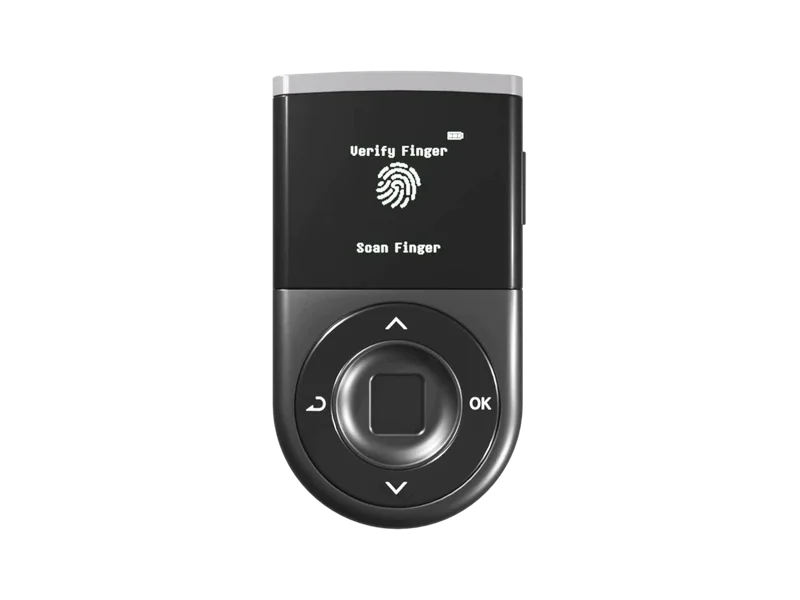
DCENT Biometric Wallet:Botones físicosPantalla: Pantalla no táctil
Ledger Flex:Pantalla táctil
Qué tienen en común
Criptomonedas
Varias criptomonedas
Ambas
Recuperación del acceso
Frase de recuperación
Ambas
Batería
Recargable
Ambas
Antes de elegir
A tener en cuenta
DCENT Biometric WalletElige una wallet con pantalla táctil si prefieres controles táctiles. iPhone admite transacciones por Bluetooth; las actualizaciones del firmware necesitan USB desde un ordenador o Android.
Ledger FlexSe conecta al iPhone por Bluetooth. Se conecta a Android por USB o Bluetooth. NFC no sustituye al USB ni al Bluetooth para las transacciones habituales. Las criptomonedas admitidas dependen de la aplicación.
Aplicaciones y requisitos
Mostrar detallesOcultar detalles
Compatibilidad
DCENT Biometric Wallet
Ordenador
DCENT Wallet for ChromeUSBBitcoin / EthereumWindows · macOS
iPhone
DCENT appBluetoothBitcoin / Ethereum
Android
DCENT appBluetooth · USBBitcoin / Ethereum
Ledger Flex
Ordenador
Ledger WalletUSBBitcoin / EthereumWindows · macOS · Linux
iPhone
Ledger WalletBluetoothBitcoin / Ethereum
Android
Ledger WalletUSB · BluetoothBitcoin / Ethereum
Características del dispositivoDiferentes: 5 · Iguales: 1 · Datos incompletos: 12Mostrar detalles (18)Ocultar detalles
DCENT Biometric WalletLedger Flex
Pantalla
Tipo de pantalla
DCENT Biometric Wallet:OLED
Ledger Flex:E Ink
Diagonal de pantalla
DCENT Biometric Wallet:Sin datos
Ledger Flex:2,8″
Resolución
DCENT Biometric Wallet:Sin datos
Ledger Flex:480 × 600 px
Visualización del color
DCENT Biometric Wallet:Sin datos
Ledger Flex:En escala de grises
Tonos de gris
DCENT Biometric Wallet:Sin datos
Ledger Flex:16
Tamaño y peso
Peso del dispositivo
DCENT Biometric Wallet:36 g
Ledger Flex:57,5 g
Dimensiones
DCENT Biometric Wallet:Sin datos
Ledger Flex:78,4 × 56,5 × 7,7 mmDimensiones en el orden indicado por el fabricante
Alimentación y carga
Autonomía de la batería
DCENT Biometric Wallet:Hasta 4 h de uso
Ledger Flex:Hasta 10 hCondiciones de uso no especificadas